


LU Labs
All-in-one local AI studio·Chat · Code · Image · Video
LU Labs Desktop App
v3.0.1 · WINDOWS · LINUX · 90,000+ DOWNLOADS
Four studios. One window.
Zero cloud.
Chat, code, image and video generation. LU Labs detects your stack and runs every studio locally.
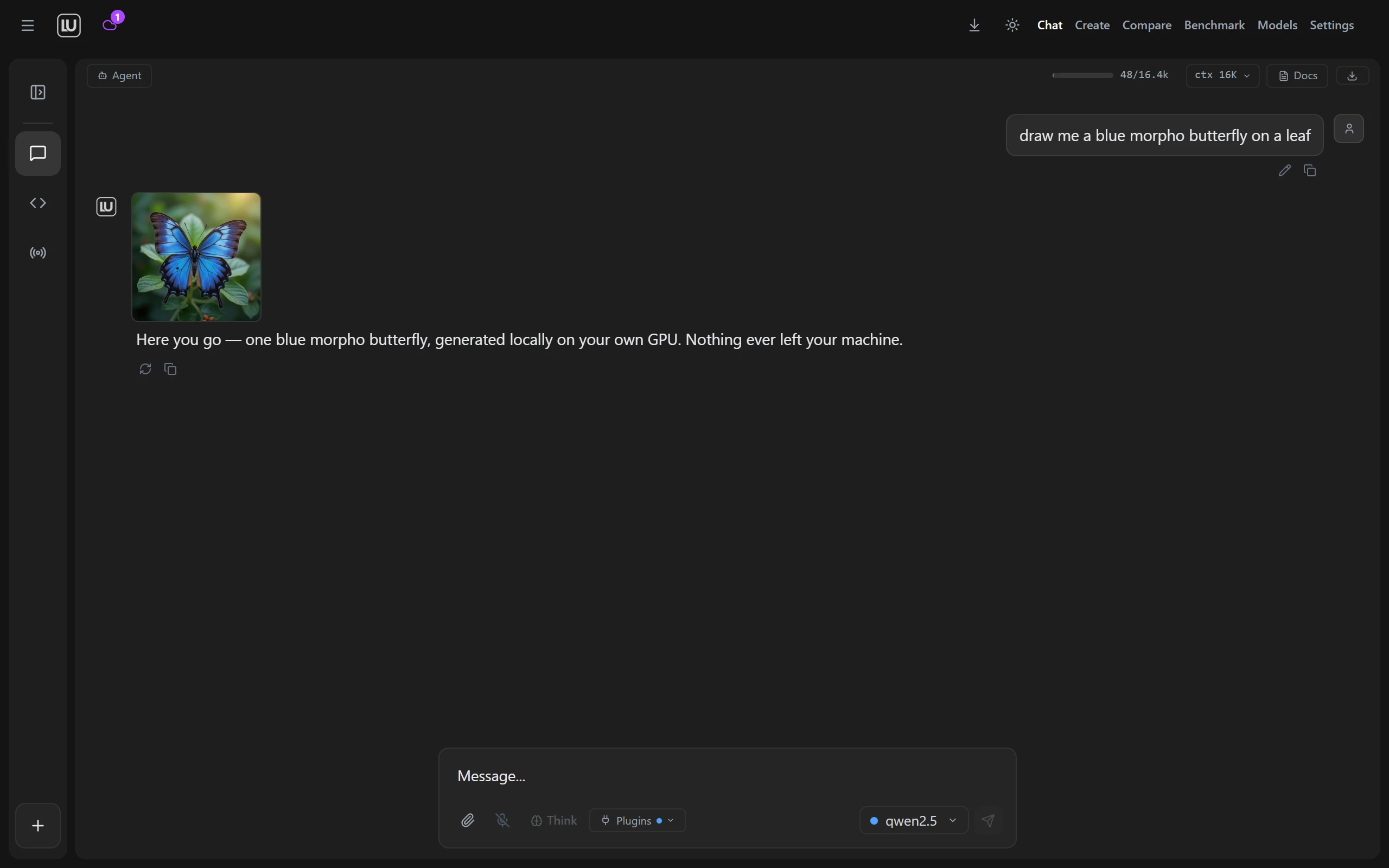
Everything you’d do in ChatGPT: ask anything, write, brainstorm, work with your own files and photos. Ask for a picture and it draws one right in the chat. Except it all stays on your computer: nothing sent to a company, nothing logged. The app even picks the right free model for your machine, so you don’t have to.
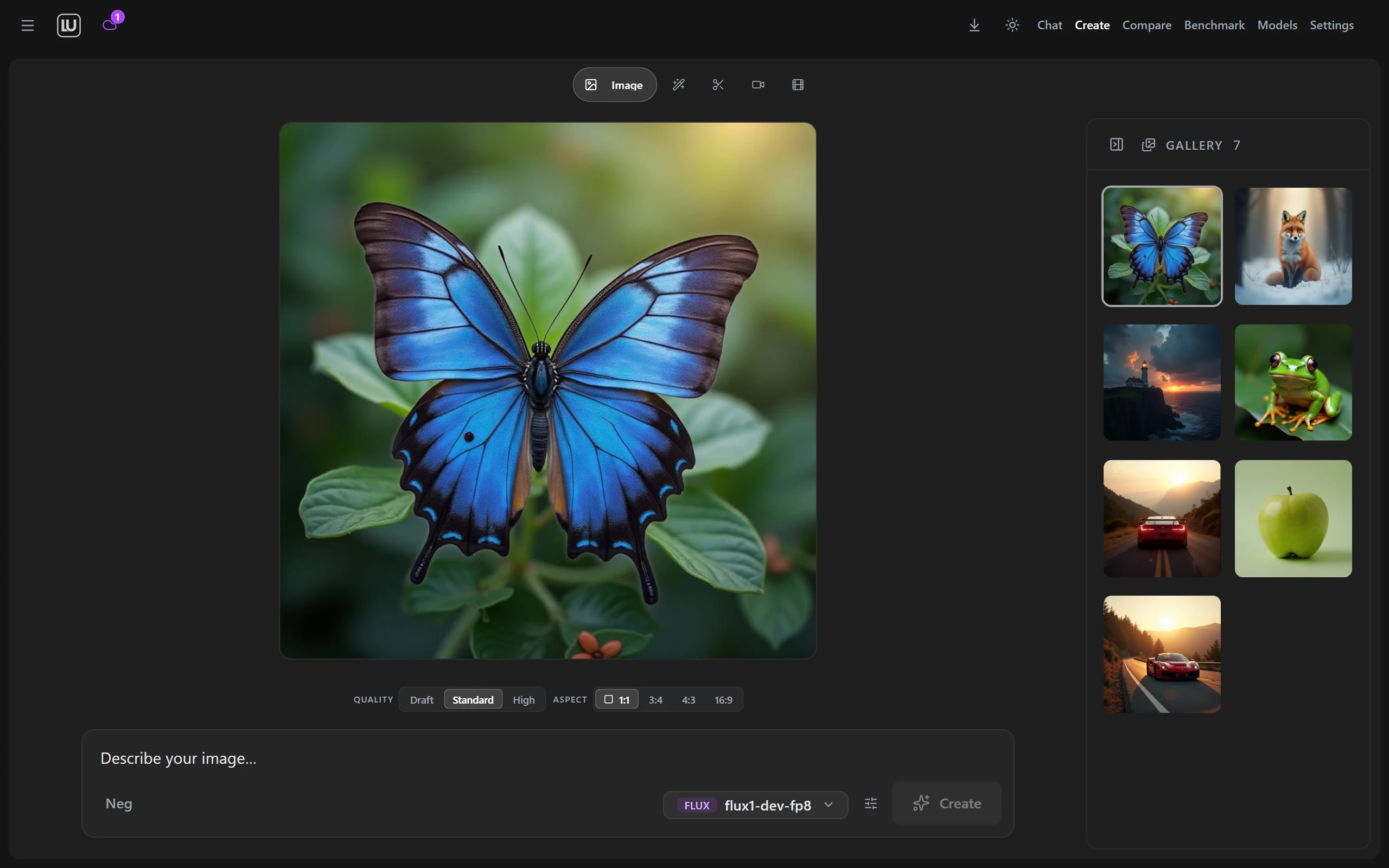
The Create tab keeps it simple: pick a look, pick a size, hit go. Make images, turn them into video. Every piece you generate lands in your own gallery. It only offers the tools your computer can actually handle, and installs each one with a single click.
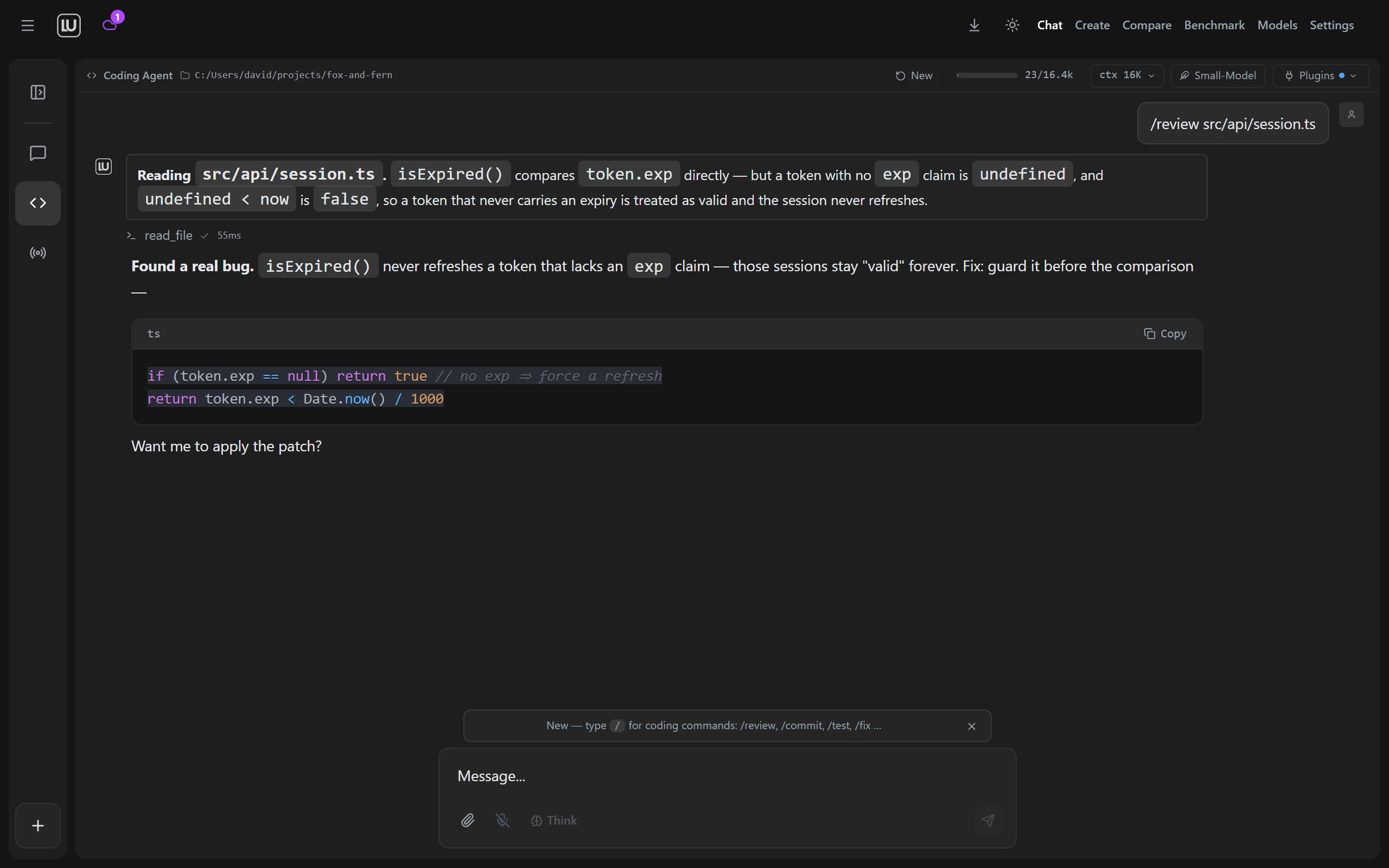
Flip to the Coding Agent and point it at your project. Ask it to review, fix, or build. Here it caught a real bug: a session token with no expiry claim was treated as valid forever, and it explained the one-line fix in plain words. It even runs on small, light models most machines can handle.
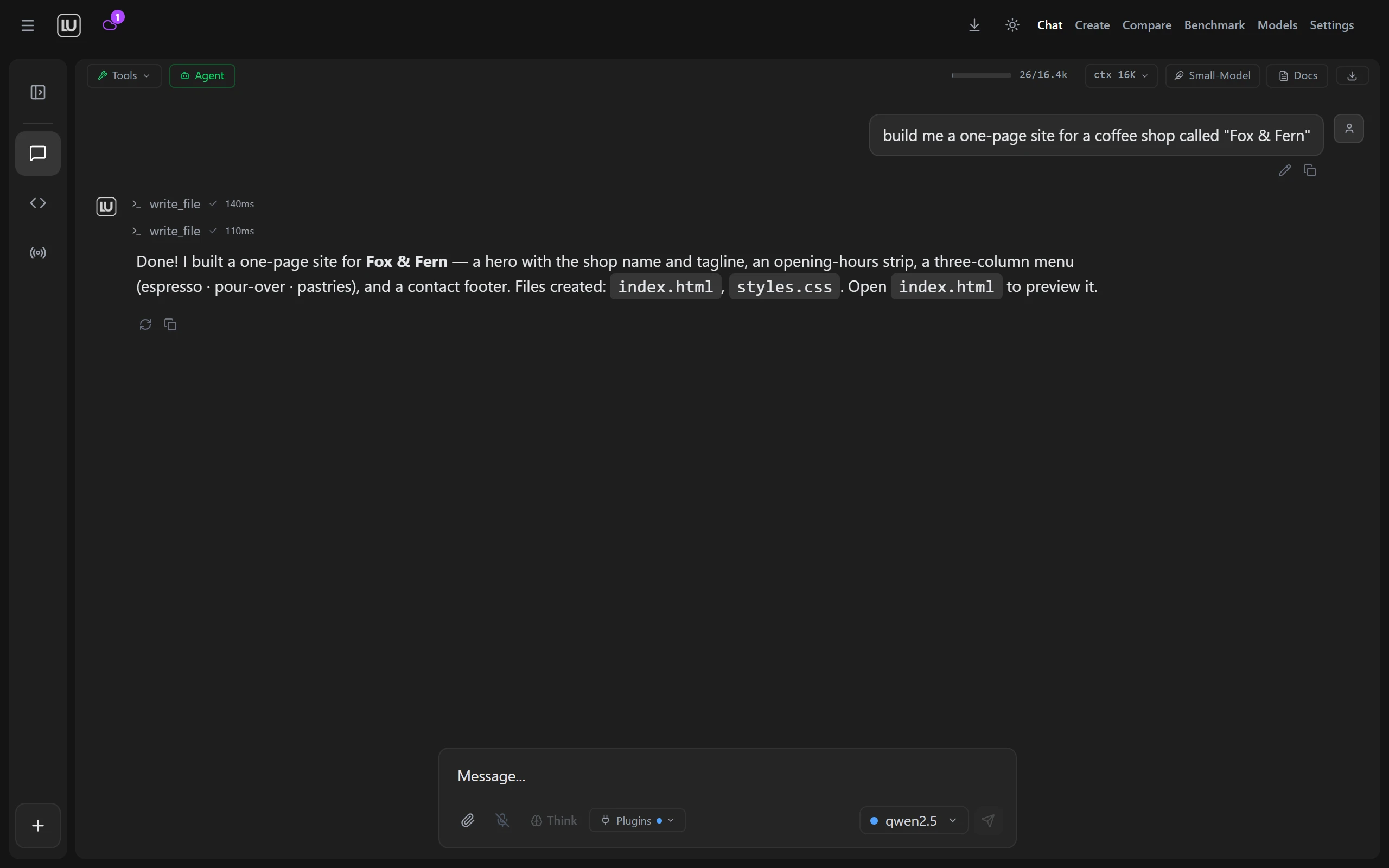
Turn on Agent Mode and it stops just talking and starts doing. Ask for a website and it writes the files, runs each step, and shows its work as it goes, safely, in a sandbox on your own machine.
Nothing is ever sent automatically.
Free forever self-hosted. Or let us run the GPUs.
One model, one question, one page.
Run your first local model in minutes.
Download the LU Labs desktop app, point it at your hardware, and start generating. Private, free, and yours.