How it works
Your machine is the whole stack.
There is no server tier. LU Labs detects what you already run, loads a model into your memory, and generates on-device, start to finish.
 01
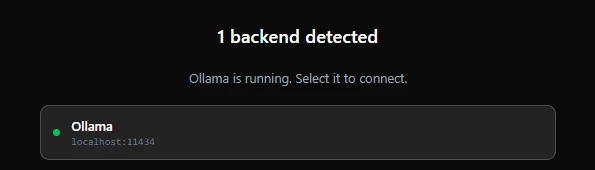
01Auto-detect your backends
LU Labs scans for the 12 runtimes it supports (Ollama, LM Studio, vLLM, llama.cpp and more) and lists what you can run.
 02
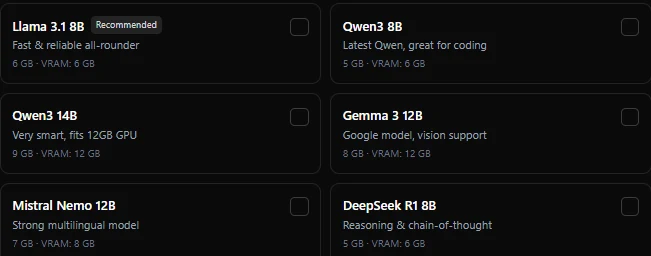
02Load a model into memory
Pick a model; it loads into your own RAM or VRAM. A green dot means it is live and ready. No upload of your prompts anywhere.
 03
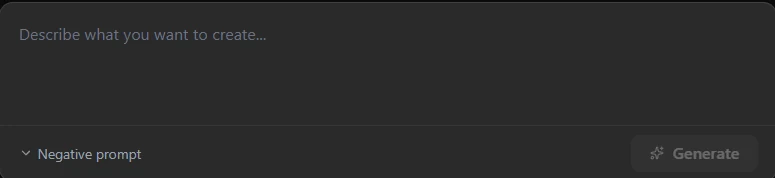
03Generate on-device
Every token, image and frame is produced by your hardware. The result never round-trips through a cloud you do not control.
What leaves your machine?
The honest answer, side by side.
 Self-Host · free
- Nothing. Not automatically, not ever
- No prompts, no chat history, no files
- No generated images or video
- No accounts, emails or device IDs
- No usage analytics or crash pings
LU Cloud · hosted plans- Only when you pick a cloud model, so local chats stay local
- Your prompt and attachments, encrypted in transit to the model server
- Open models on rented GPU infrastructure, run by our inference partner
- Account email, plan and usage totals: that is billing
- Never: training on your data, ads, or resale
ON-DEVICE
100% local inference
The model runs where your data already lives. Air-gap it if you want.
NO TELEMETRY
Zero phone-home
No analytics SDK, no background reporting, no silent updates of your data.
NO KEYS
No API keys to leak
Local mode needs no cloud credentials, so there is nothing to steal.
ON YOUR MACHINE
Runs where you are
Nothing is sent anywhere you did not choose. Your data stays on your computer.
AUTO-CLEANUP
Processes die on close
The ComfyUI process is killed when you quit. No lingering daemons.
OFFLINE
Works with no internet
Once a model is on disk, pull the ethernet cable. It still runs.
Runs on your machine.
Nothing is sent anywhere you did not choose. Private, free, and yours.